Run your free AI fit check
Scan your brand nowRun your free AI fit check
Scan your brand now

Data integration
You can now use Segment to exchange data from your mobile apps and websites with Mapp’s marketing automation module. This enables you to pull and push data from and to Mapp Marketing Cloud to build a unified picture of your customer with enriched data. You can leverage your existing Segment integration to add users to Mapp Marketing Cloud from multiple sources, simplifying and accelerating the setup. Within our platform, you can then map your Segment data to the customer profile.
Configuration Procedure:
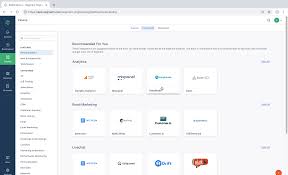
1. From the Destinations catalog page in the Segment App, click Add Destination.
2. Select Mapp Connect from the Destinations Catalog.
3. Choose which Source should send data to the Mapp destination.
4. Go to the to your Mapp Marketing Cloud instance and login.
5. Go to Mapp Connect menu.
6. Add new integration type Segment.
7. Generate secret key and store it in a notepad.
8. Go back to Segment and Mapp Connect destination.
9. Paste the secret key in the API Key field in the new Segment destination.
10. Insert API URL for your cluster:
– L3 cluster: https://jamie.g.shortest-route.com/charon/api/v1/
– EMC cluster: https://jamie.h.shortest-route.com/charon/api/v1/
– EMC-US cluster: https://jamie.c.shortest-route.com/charon/api/v1/
11. Copy the Integration ID from Mapp Connect Addon and paste in Integration Id field.
12. Add the group Id that users will be added to (find it in your Mapp Marketing Cloud instance).
13. The Mapping for this integration is created under the Mapping tab in Addon settings.
To successfully add users to your Mapp Engage, the email field is required. Remember to add proper mapping (segment source field name=email) in your addon mapping settings.
Segment sends Identify calls to Mapp Connect as an identify event. All fields need to be manually setup under Mapping tab in your add-on settings.

We use a third party to perform the registration for our content. This third party may collect data about your activity. Please review the details and accept the service to complete the registration.